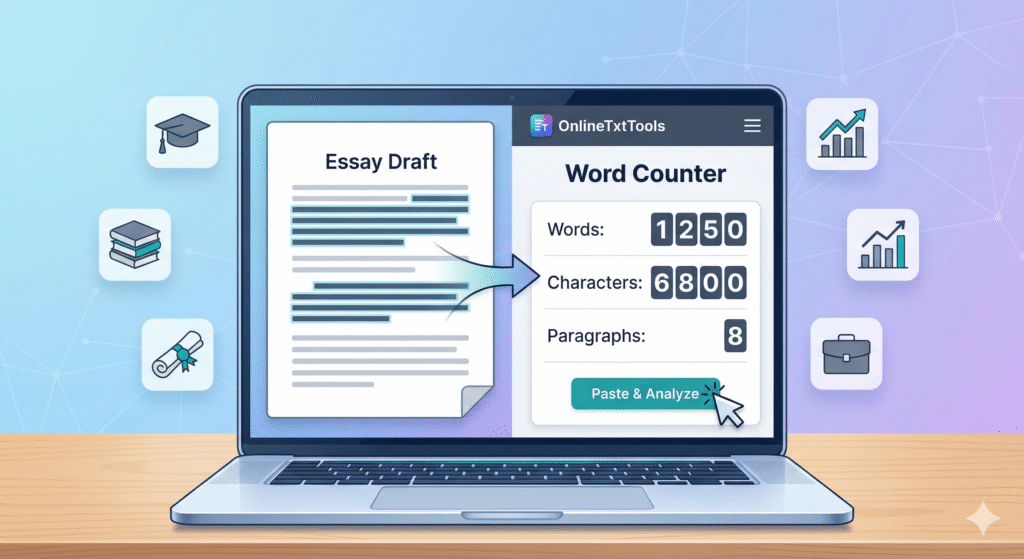
In the fast-paced world of web development, efficiency is paramount. Developers constantly juggle various tasks, from debugging complex code to manipulating data formats. This is where online text tools become indispensable. These web-based utilities are designed to streamline common development tasks, saving countless hours and reducing errors. Whether you’re a frontend wizard or a backend guru, mastering these essential developer utilities can significantly boost your productivity and workflow.
This comprehensive guide will explore the most crucial online text tools available, detailing their functionalities, benefits, and how to integrate them seamlessly into your daily development routine. From formatting messy JSON to decoding Base64 strings, we’ll cover the tools that every developer should have in their arsenal to enhance speed and accuracy.
Why Every Developer Needs Online Text Tools
The modern development landscape demands speed and precision. Online text tools offer a quick, accessible solution to many everyday challenges, making them a cornerstone for efficient coding practices.
Streamlined Workflows
Time is a developer’s most valuable asset. These tools significantly cut down the time spent on repetitive or complex text manipulation tasks. Instead of writing custom scripts for every minor data transformation, you can achieve results instantly with a few clicks.
Enhanced Accuracy and Debugging
Manually formatting code or converting data types is prone to human error. Online text tools provide accurate, automated solutions, reducing bugs and simplifying the debugging process. They help visualize data structures and highlight discrepancies, making your code more robust.
Cross-Platform Accessibility
Being web-based, these utilities are accessible from any operating system with an internet connection. This eliminates the need for specific software installations and ensures consistency across different development environments, making them ideal for remote teams and diverse setups.
Essential Categories of Online Text Tools for Developers
The vast array of online text tools can be categorized based on their primary function. Understanding these categories helps you quickly find the right tool for the job.
Code Formatters & Minifiers
These tools are crucial for maintaining code readability and optimizing file sizes. Formatters pretty-print messy code (e.g., JSON, XML, CSS, JavaScript), while minifiers remove unnecessary characters to reduce load times, essential for frontend performance. Examples include JSON Formatter, CSS Minifier, and HTML Compressor.
Data Converters
Often, developers need to transform data from one format to another. Converters handle tasks like CSV to JSON, XML to JSON, or even Markdown to HTML. These data conversion tools are invaluable when working with APIs or migrating data between systems.
Encoders & Decoders
For secure data transmission or obfuscation, encoding and decoding are frequent tasks. Tools for Base64 encoding/decoding, URL encoding/decoding, and HTML entity encoding/decoding are common. They help ensure data integrity and proper rendering across different platforms.
Regular Expression (Regex) Testers
Regular expressions are powerful for pattern matching and text manipulation, but they can be complex. A good regex tester allows you to test your patterns against sample text, visualize matches, and fine-tune your expressions before integrating them into your code. This is a critical utility for string validation and parsing.
String Manipulators
From changing text case to removing duplicate lines, string manipulation tools offer a variety of functions to process text. These include case converters, line sorters, deduplicators, and random string generators. They’re perfect for quick data cleaning or generation tasks.
Diff Checkers
When comparing two versions of code or text, a diff checker highlights the differences line by line. This is incredibly useful for reviewing changes, merging code, or identifying discrepancies between files, acting as a simple yet powerful version control aid.
Top Online Text Tools for Common Development Tasks
Here’s a breakdown of some highly recommended online text tools and their primary use cases, offering a quick reference for your development needs.
| Tool Category | Common Use Case | Example Tool | Key Benefit |
|---|---|---|---|
| JSON Formatter | Pretty-printing and validating JSON data | jsonformatter.org | Improved readability & debugging of API responses |
| Data Converter | Converting data between CSV, XML, JSON | convertio.co (for general file types) | Seamless integration with various data sources |
| Encoder/Decoder | Base64, URL, HTML entity (en/decoding) | base64decode.org | Ensuring data integrity and secure transmission |
| Regex Tester | Testing and building regular expressions | regex101.com | Accurate pattern matching and string validation |
| String Manipulator | Case conversion, line sorting, deduplication | textmechanic.com | Quick data cleaning and text processing |
| Diff Checker | Comparing two blocks of text or code | diffchecker.com | Efficient identification of changes and discrepancies |
Integrating Online Text Tools into Your Development Workflow
Maximizing the benefits of online text tools requires a strategic approach. Follow these steps to weave them seamlessly into your daily development routine.
Step 1: Identify Your Core Needs
Before bookmarking dozens of tools, assess your most frequent text-related challenges. Are you constantly dealing with unformatted JSON? Do you frequently convert CSV files? Pinpointing your pain points will guide you to the most relevant tools.
Step 2: Bookmark Your Favorites
Once you’ve found reliable tools that address your needs, create a dedicated folder in your browser’s bookmarks. Organize them by category (e.g., ‘JSON Tools’, ‘Encoders’) for quick access. This saves time searching for them repeatedly.
Step 3: Understand Security Implications
Always be mindful of the data you’re inputting into public web-based text editors. For sensitive information, prioritize local tools or ensure you’re using highly trusted, reputable online services with strong privacy policies. Never compromise security for convenience.
Step 4: Automate When Possible
While these tools are great for ad-hoc tasks, consider automating repetitive processes within your codebase using libraries or scripting. For example, if you frequently minify CSS, integrate a build tool like Webpack or Gulp into your project.
Security Best Practices for Using Online Text Tools
While incredibly convenient, using online text tools comes with inherent security considerations. It’s crucial to exercise caution, especially when dealing with sensitive data.
Warning: Handle Sensitive Data with Care!
When using online text tools, never paste sensitive information (e.g., API keys, personal user data, production passwords) into public tools. Always prioritize local, offline utilities for such data or use enterprise-grade, trusted services with explicit security guarantees. Be aware that data submitted to free online tools may be logged or processed on third-party servers.
Frequently Asked Questions About Online Text Tools
Here are some common questions developers have about leveraging these powerful utilities.
Are online text tools reliable for production environments?
While invaluable for development and debugging, online text tools should generally be used with caution for production-critical tasks, especially those involving sensitive data. For production, consider integrating robust, tested libraries directly into your codebase or using trusted enterprise-level solutions that you control.
What are some good offline alternatives to online text tools?
For offline work or sensitive data, many code editors (like VS Code with extensions) offer built-in formatting, linting, and string manipulation capabilities. Command-line utilities (e.g., jq for JSON, sed/awk for text processing) are also powerful alternatives that run locally on your machine.
How do I choose the best online text tool for a specific task?
When selecting an online text tool, consider its reputation, user reviews, and whether it explicitly states its privacy policy. Look for tools with a clean interface, clear functionality, and support for the specific format or operation you need. Always test with non-sensitive data first.
Can these tools replace local development environments?
No, online text tools are meant to complement, not replace, your local development environment. They excel at quick, ad-hoc text processing tasks. Your local setup, including your IDE, version control, and debugging tools, remains essential for building, testing, and deploying complex applications.
Conclusion
The world of web development is constantly evolving, and staying efficient means leveraging the best resources available. Online text tools are an indispensable part of a modern developer’s toolkit, offering unparalleled convenience, speed, and accuracy for a myriad of text-related tasks. By intelligently integrating these developer utilities into your workflow, you can significantly reduce development time, minimize errors, and focus on the more complex, creative aspects of your projects.
Start exploring these powerful tools today and experience a noticeable boost in your productivity. Your future self (and your deadlines) will thank you!