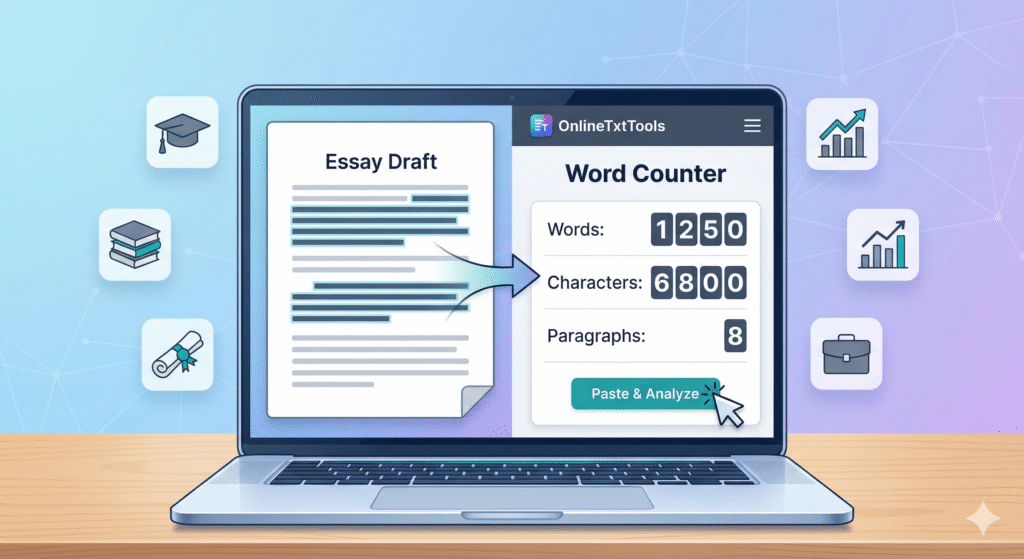
In the fast-paced world of digital content, precision is paramount. Whether you’re a blogger, student, marketer, or SEO specialist, hitting specific word counts, character limits, and maintaining optimal readability is crucial. This is where a reliable Word & Letter Counter tool becomes an indispensable asset. Far more than just counting words, a sophisticated online word counter can be the secret weapon in your content creation arsenal, ensuring your writing is not only effective but also perfectly optimized for its intended platform and audience.
This comprehensive guide will delve into why a Word Counter Tool is essential for modern content creators, how it aids in SEO optimization, and the key features to look for. Get ready to elevate your writing game and achieve unparalleled accuracy with every piece of content you produce.
What is a Word & Letter Counter Tool?
At its core, a Word & Letter Counter tool is a digital utility designed to provide instant statistics about any given text. It meticulously counts the number of words, characters (with and without spaces), sentences, and paragraphs within your input. Beyond these basic metrics, many advanced tools also offer insights into readability scores, estimated reading time, and even keyword density, making them incredibly valuable for content analysis.
For anyone serious about quality content, understanding these metrics is not just helpful; it’s fundamental. From crafting concise social media updates to developing extensive blog posts, knowing your exact word and character count ensures you meet all requirements without guesswork.
Why Every Writer Needs a Word Counter Tool
The benefits of integrating a Word Counter Tool into your workflow are immense. It streamlines various aspects of content creation and helps in achieving specific objectives.
Meeting Word Count Requirements
Many platforms, assignments, and publications have strict word count guidelines. Whether it’s a 500-word blog post, a 2,000-word academic essay, or a brief product description, a word counter ensures you stay within the specified range, preventing penalties or rejection.
SEO Optimization & Readability
Search engines like Google favor comprehensive, well-structured content. A Word Counter Tool helps you gauge if your content length is sufficient for competitive keywords. Furthermore, by analyzing sentence and paragraph counts, it indirectly contributes to improving your content’s readability, a key factor in user engagement and SEO rankings.
Character Limits for Social Media & Meta Descriptions
Social media platforms (Twitter, Instagram captions) and search engine results pages (meta descriptions, title tags) have strict character count limits. A precise letter counter ensures your messages are concise and impactful, fitting perfectly within these constraints without being truncated.
Improving Writing Productivity
Instead of manually counting or guessing, an instant word count allows you to focus on the quality of your writing. It provides immediate feedback, helping you adjust your text on the fly and boosting your overall writing productivity.
Key Features of a Premium Word Counter Tool
While basic counting is standard, the best online word counter tools offer a suite of features that empower advanced analysis and optimization:
| Feature | Benefit for Content Creators |
|---|---|
| Word Count | Precisely meets length requirements for articles, essays, and reports. |
| Character Count (with/without spaces) | Ensures compliance with strict character limits for meta descriptions, tweets, and ad copy. |
| Sentence & Paragraph Count | Helps assess text structure and contributes to better readability. |
| Readability Score (e.g., Flesch-Kincaid) | Indicates how easy your text is to understand, crucial for engaging a broad audience. |
| Keyword Density Analysis | Assists in SEO optimization by showing the frequency of target keywords, preventing stuffing. |
| Estimated Reading Time | Helps users manage their time and publishers set expectations for content consumption. |
How to Effectively Use a Word Counter Tool for Your Content
Integrating an online word counter into your writing process is straightforward and highly beneficial. Follow these steps to maximize its utility:
-
Step 1: Paste Your Text
Once you’ve drafted your content, simply copy and paste it into the text area of your chosen Word Counter Tool. Most tools provide instant results as you type or paste.
-
Step 2: Analyze the Metrics
Review the displayed statistics: word count, character count, sentence count, and any other advanced metrics like readability scores or keyword density. Compare these against your project’s requirements.
-
Step 3: Refine for SEO and Readability
If your word count is too low for a target keyword, expand your content. If it’s too high, look for areas to condense. Use readability scores to simplify complex sentences or break up long paragraphs. Pay attention to keyword density for natural SEO optimization.
-
Step 4: Check for Specific Limits
Before publishing, double-check your meta descriptions, title tags, and social media posts against their respective character limits. The Letter Counter Tool aspect is crucial here to avoid truncation.
💡 Pro Tip for SEO:
Always use your Word Counter Tool to check the length of your SEO title tags (usually 50-60 characters) and meta descriptions (150-160 characters). Keeping these concise and keyword-rich is vital for click-through rates and search engine visibility. Don’t forget to include your primary keyword near the beginning of your meta description!
Choosing the Right Online Word Counter Tool
When selecting an online word counter, consider its accuracy, speed, and additional features. While many free tools are available, look for one that offers comprehensive metrics, a clean interface, and works reliably across devices. The best tools are those that integrate seamlessly into your existing writing workflow, providing immediate, actionable insights.
Frequently Asked Questions About Word Counter Tools
Q1: Is a word counter tool accurate?
A: Yes, reputable Word Counter Tools are highly accurate. They use algorithms to precisely count words, characters, and other metrics, eliminating human error. However, ensure you’re using a well-regarded tool for the most reliable results.
Q2: Can a word counter help with SEO?
A: Absolutely. While not a direct SEO ranking factor, a Word Counter Tool indirectly aids SEO optimization by helping you meet optimal content lengths, improve readability, and monitor keyword density, all of which contribute to better search engine performance and user experience.
Q3: What’s the difference between character count with and without spaces?
A: Character count with spaces includes every character, including spaces between words, punctuation, and special symbols. Character count without spaces only counts alphanumeric characters and symbols, excluding spaces. Both metrics are important depending on the platform’s specific requirements (e.g., Twitter typically counts all characters including spaces).
Q4: Are free word counter tools reliable?
A: Many free online word counter tools are indeed reliable and offer sufficient functionality for most users. For advanced features like readability analysis or keyword density, you might find premium tools or integrated writing assistants more comprehensive. Always check reviews and test the tool yourself.
Conclusion
In the digital age, the quality and optimization of your content are paramount. A robust Word & Letter Counter tool is no longer just a convenience; it’s a necessity for anyone involved in content creation. From ensuring your articles meet specific word counts to perfecting your meta descriptions for SEO optimization and enhancing overall readability, this tool empowers you to write with precision and confidence.
Embrace the power of an online word counter to streamline your writing process, meet your goals, and produce content that truly stands out. Start using one today and experience the difference it makes in your writing journey!